How to Install IPTV Smarters Pro on Firestick, Android TV & Google TV
This is the definitive 2026 guide on how to install IPTV Smarters Pro on the world's most popular streaming devices. Whether you are using an Amazon Firestick, Android TV Box, or the latest Google TV (Chromecast), this method ensures a fast and secure setup.
IPTV Smarters Pro remains the #1 choice for streamers due to its high-speed performance, 4K support, and intuitive interface. Because the app is not hosted on the official Amazon or Google stores, we will use the Downloader app method to safely sideload the APK in minutes.
What is IPTV Smarters Pro?
IPTV Smarters Pro is a powerful media player that allows users to stream live TV, movies, and series using IPTV subscriptions.
The app features a clean and modern interface that makes navigation simple.
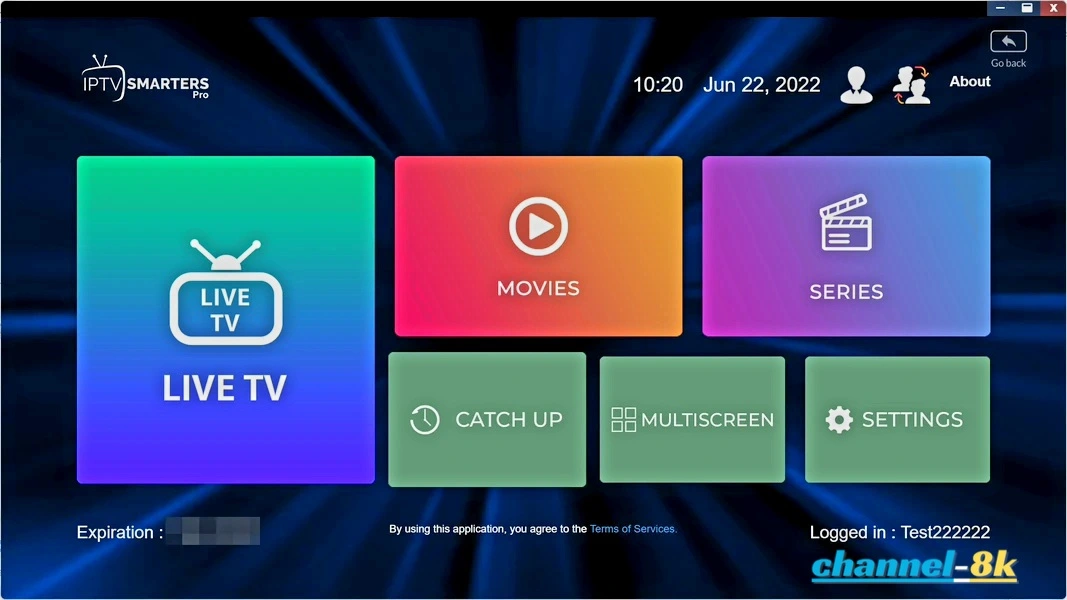
Users can easily access categories like Live TV, Movies, Series, and Catch-up content directly from the home screen.
Why IPTV Smarters Pro is So Popular
Unlike many IPTV players that require a paid subscription just to use the application, IPTV Smarters Pro is completely free. This makes it one of the most widely used IPTV apps worldwide.
The developers frequently update the app to improve performance, fix bugs, and ensure compatibility across multiple devices. This continuous improvement helps maintain a smooth and reliable streaming experience.
Important Information Before Installation
IPTV Smarters Pro is not available in official app stores such as Amazon Appstore or Google Play Store. Google removed the app in 2019, which means users must install it manually using a method called sideloading.
This process is safe when using trusted sources and is commonly used for Firestick apps that are not listed in official stores.
Supported Devices
One of the biggest advantages of IPTV Smarters Pro is its wide compatibility. The app works on:
- Amazon Firestick / Fire TV
- Android TV and Google TV Boxes
- Apple TV (View Apple TV guide)
- iPhone and iPad (iOS devices)
- Windows PC
- Android phones and tablets
In this guide, we will focus specifically on how to install IPTV Smarters Pro on devices that have a downloader app, such as Amazon Firestick, and Android TV/Google TV boxes.
IPTV Smarters Pro Features
IPTV Smarters Pro includes a wide range of features that enhance the streaming experience. Below are some of the most notable:
- 100% Free IPTV Player
- Supports M3U URLs, Xtream Codes API, and local files
- Electronic Program Guide (EPG) for TV schedules
- Multiple playlist support
- Advanced player settings
- Recording live TV capability
- Parental controls
- External player integration (VLC, MX Player)
How to Install IPTV Smarters Pro on Firestick
Follow the steps below to install IPTV Smarters Pro on your Firestick device:
-
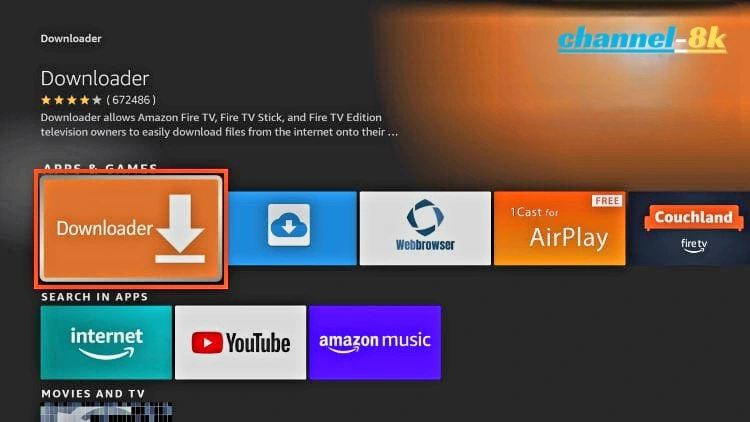
Install the Downloader
app on your Firestick.
-
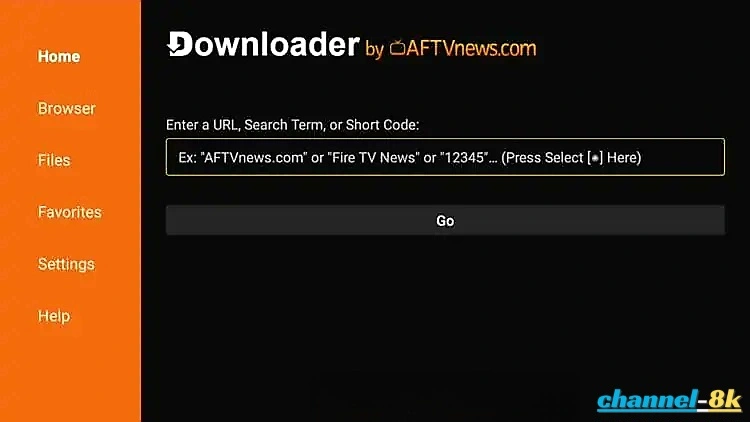
Open Downloader and click inside the URL box to open the keyboard.
-
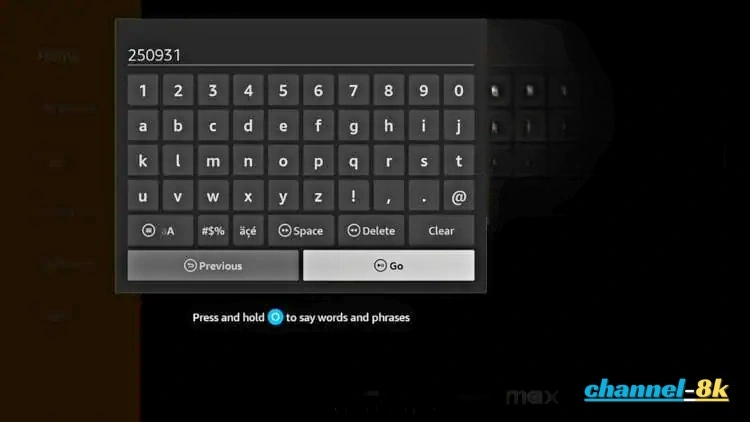
Enter the Secret Download Code: Enter the code 250931 and
click Go. This direct code bypasses long URLs and takes you straight to the
IPTV Smarters Pro APK file.
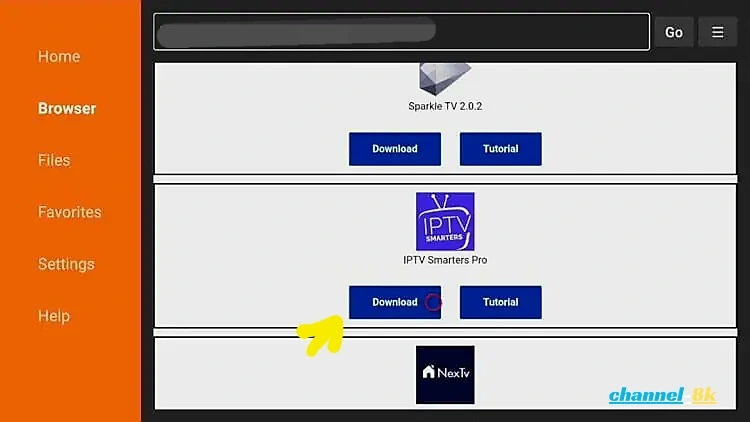
- Scroll down and select IPTV Smarters Pro.
-
Click Download and wait for the file to install.
-
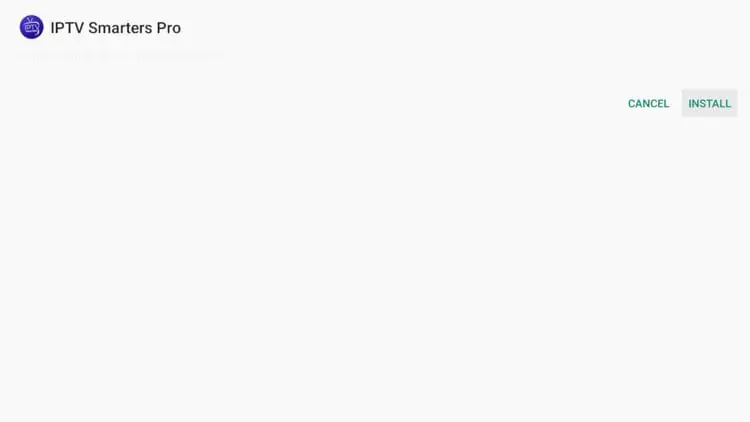
Click Install once the download is complete.
-
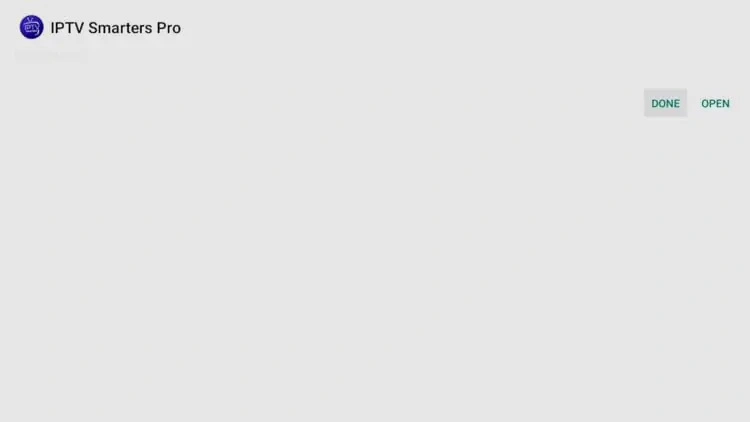
After installation, click Done.
-
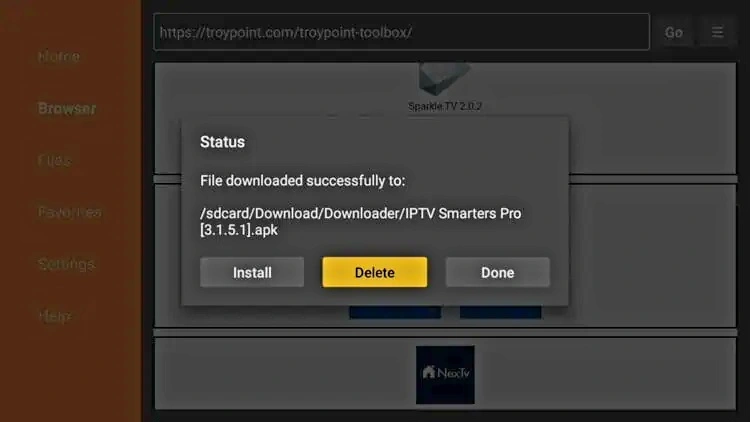
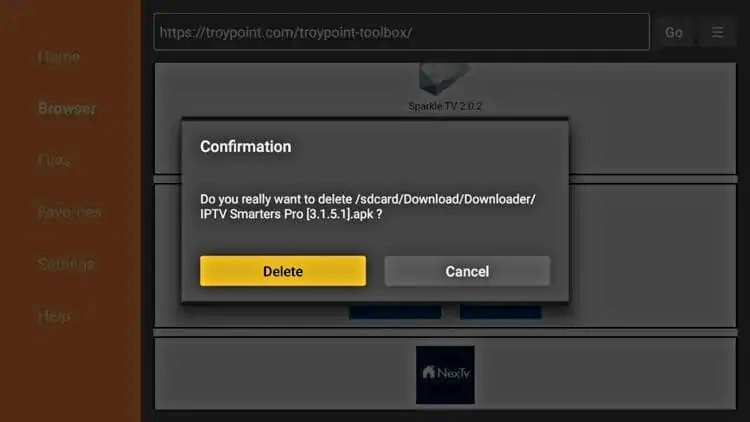
You are then prompted to delete the installation file. This will free up space on your
device. Click Delete.
-
Choose Delete again.
-
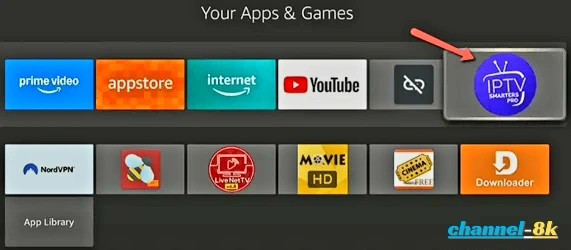
Installation is now complete. You can find IPTV Smarters Pro in your applications
list.
How to Setup IPTV Smarters Pro
After installing, you may launch the application for use. Follow the steps below to configure your subscription. We focus on the Xtream Codes API method as it is the most efficient for streaming devices.
-
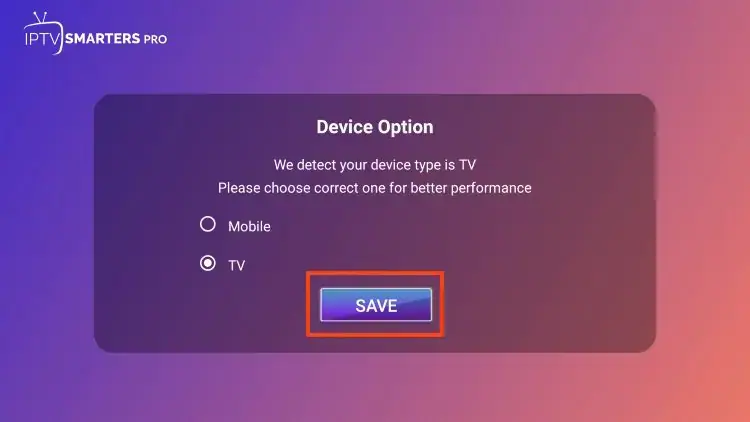
Select Your Layout: First, you are prompted to select your layout. If using a
streaming device such as a Firestick or Android TV/Google TV box, select TV and
click SAVE.
-
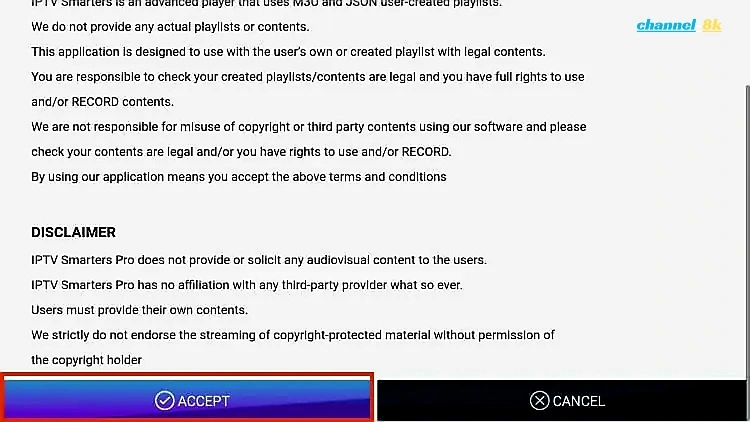
Accept Terms: Make sure to read the new announcement from Smarters Pro noting
that they do not provide any playlists or content and click Accept.
-
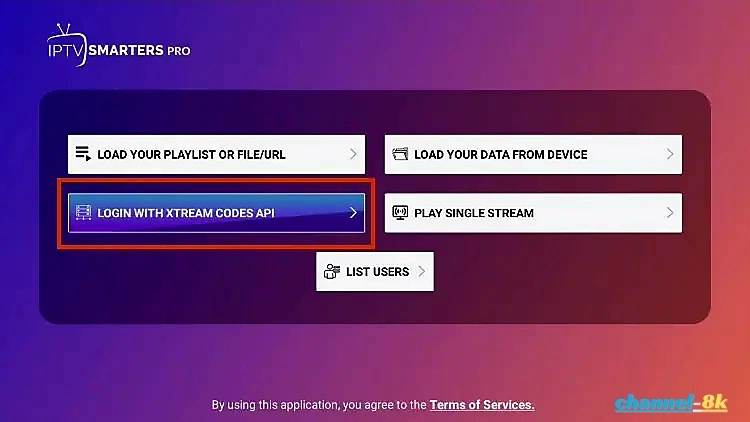
Choose Login with Xtream Codes API: This is the recommended method.
Note: If your provider does not provide Xtream Codes, you can choose "Load Your Playlist or File URL" to use an M3U URL. However, because M3U URLs are so long to type (requiring manual input of username=xxxx and password=xxxx), we recommend using Xtream Codes which is what we show in the screenshots below.
-
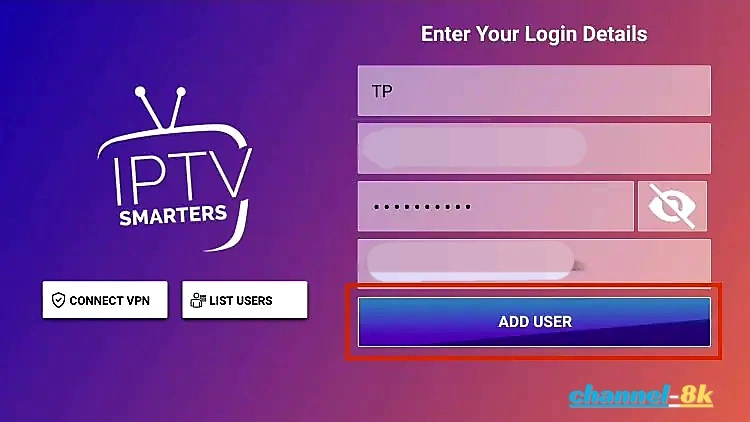
Enter Account Information: Input the name, username, password, and Server URL
provided by your service. Once filled, click Add User.
-
Start Streaming: You can now access your content for live streaming and more
directly from the home dashboard.
Conclusion
IPTV Smarters Pro is one of the best IPTV players for Firestick due to its flexibility, powerful features, and completely free access. While it requires manual installation, the setup process is simple and only takes a few minutes.
By following this guide, you can quickly install IPTV Smarters Pro on Firestick and enjoy a high-quality streaming experience on your device.